


Insta360 Adhesive Mount Kit (X Series)

Out of stock
Available on backorder


Adhesive Mount Kit (X Series)
Mounting your X Series camera horizontally lowers its center of gravity for greater stability and comfort, unlocking more panoramic shooting positions.
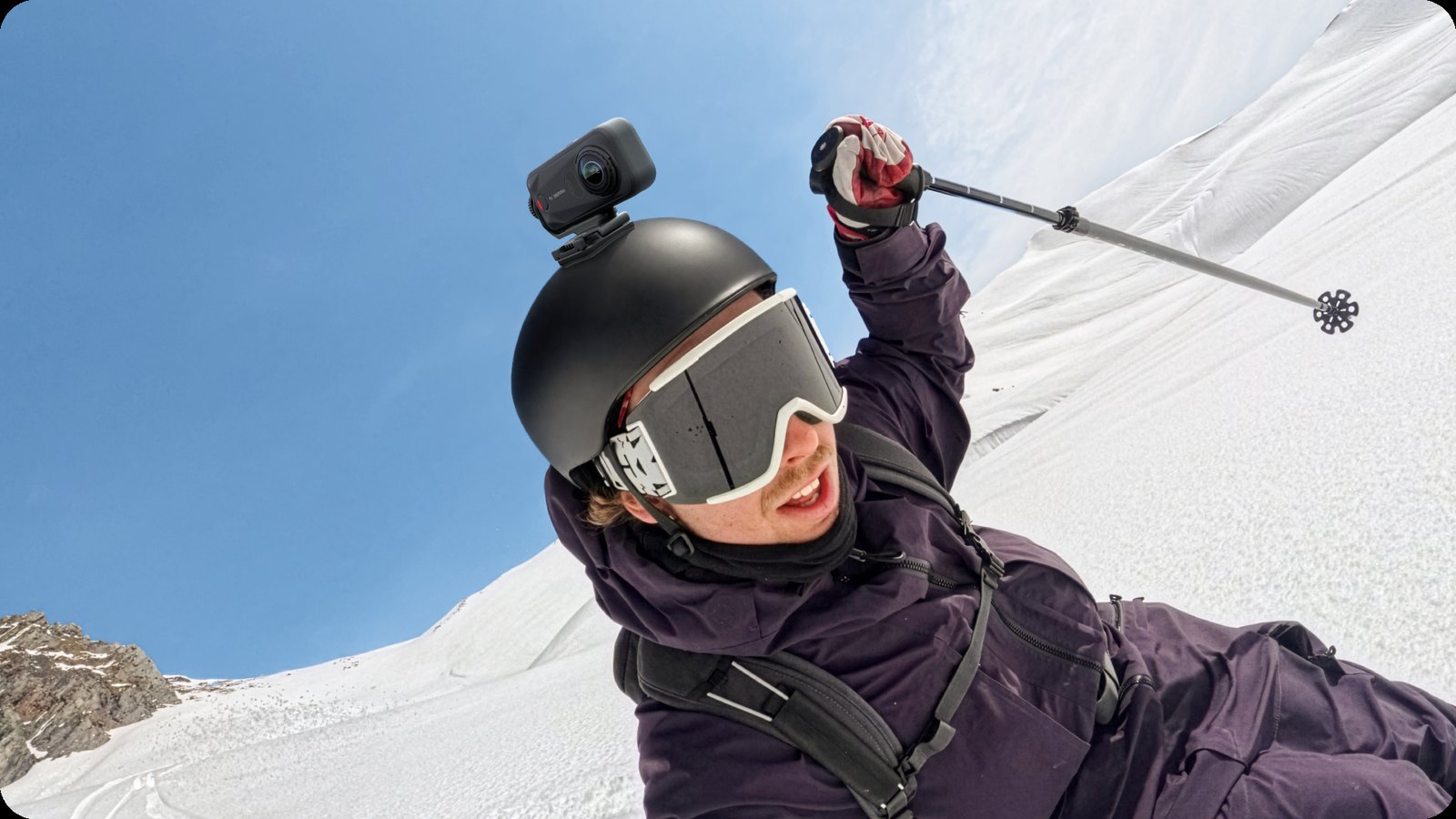
Mount it anywhere, capture any angle.
High-strength 3M adhesive holds firmly on flat walls and curved helmets alike. It frees you from the limits of traditional mounts, opening up fresh angles on almost any surface and making panoramic shots a lot more fun.
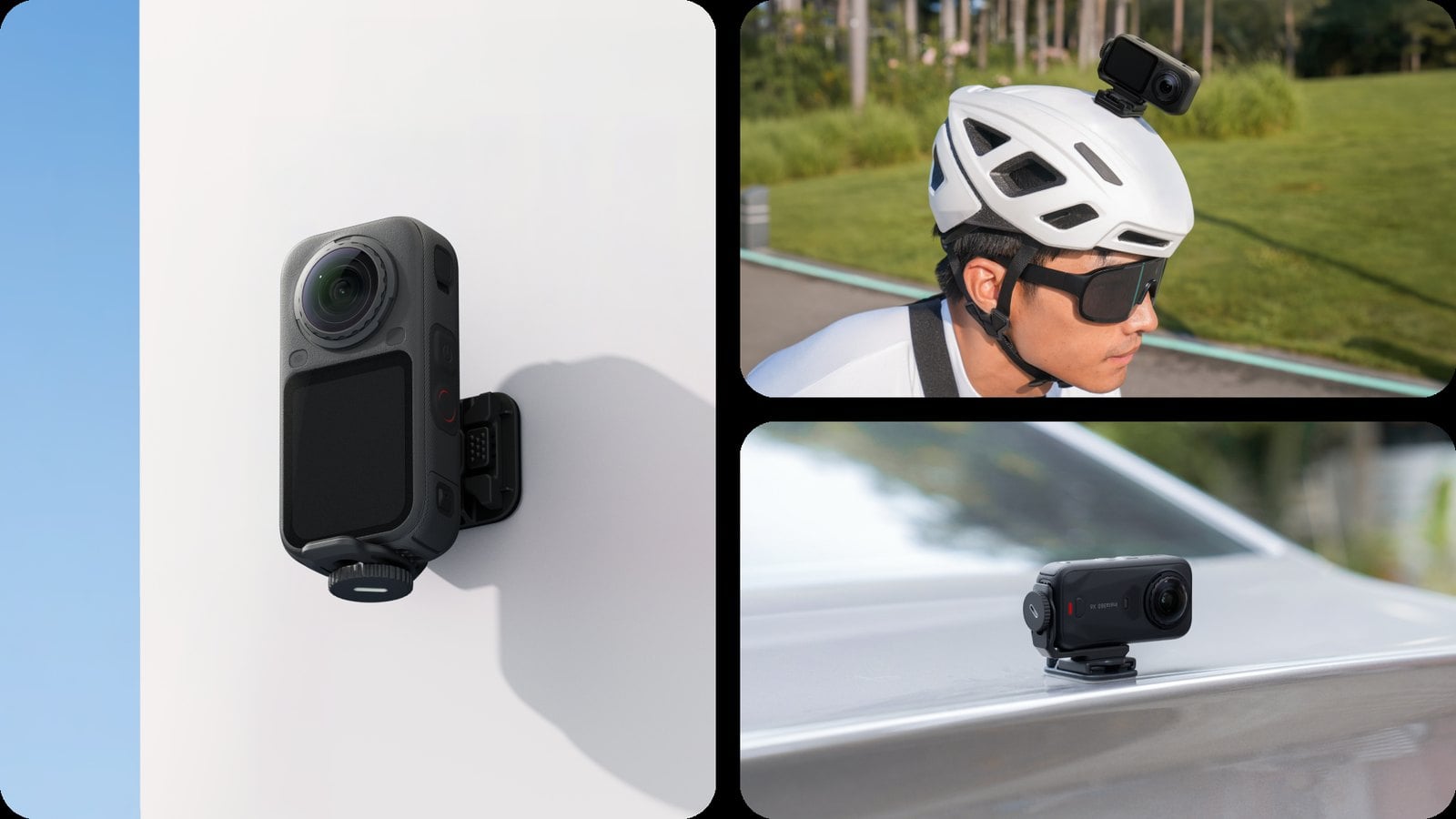
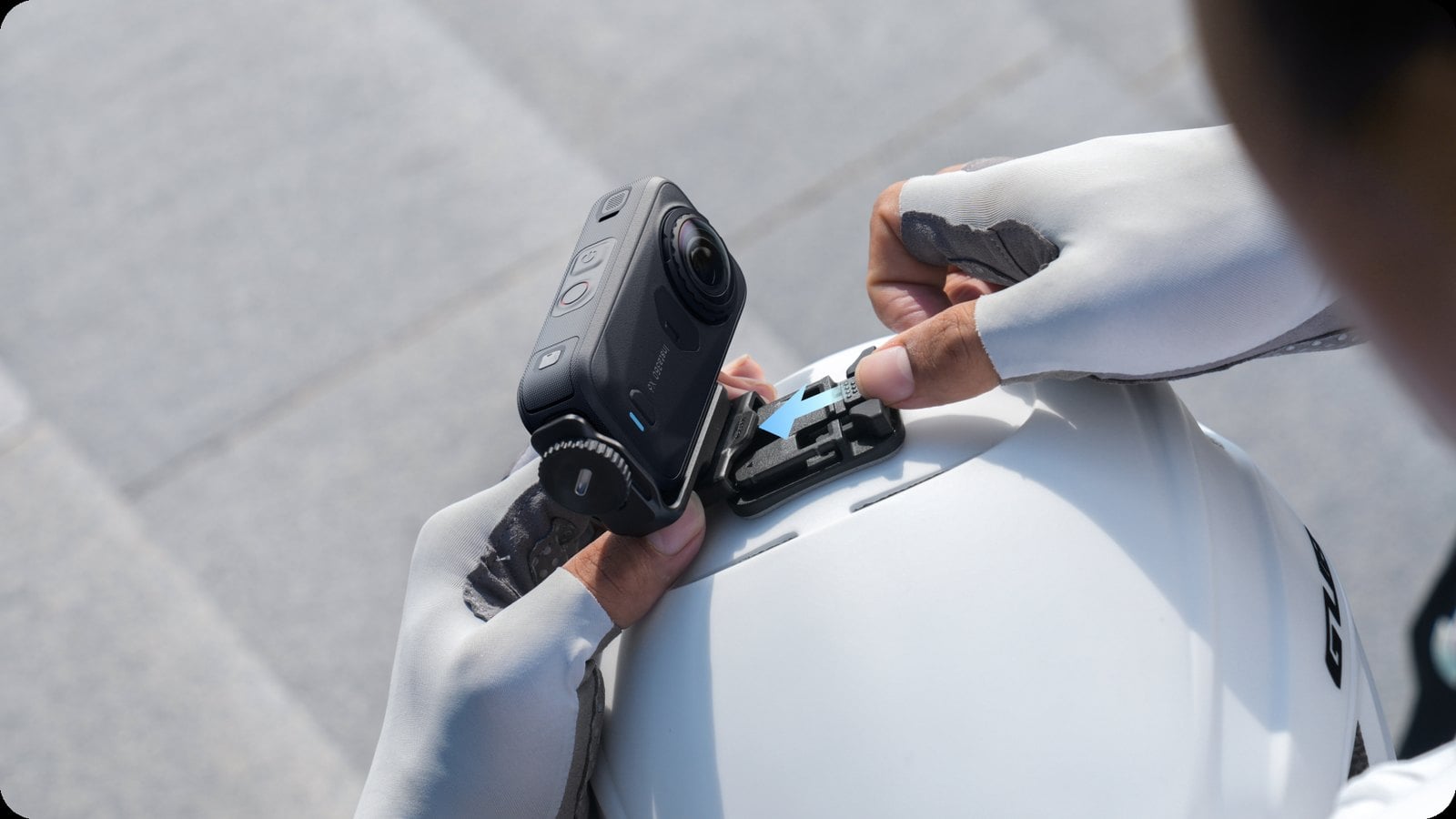
Swap angles in seconds, no fuss.
The adhesive base links to the camera mount through a quick-release mechanism, so moving the camera from one base to another is effortless. Just slide, snap, and a whole new angle is ready to go.
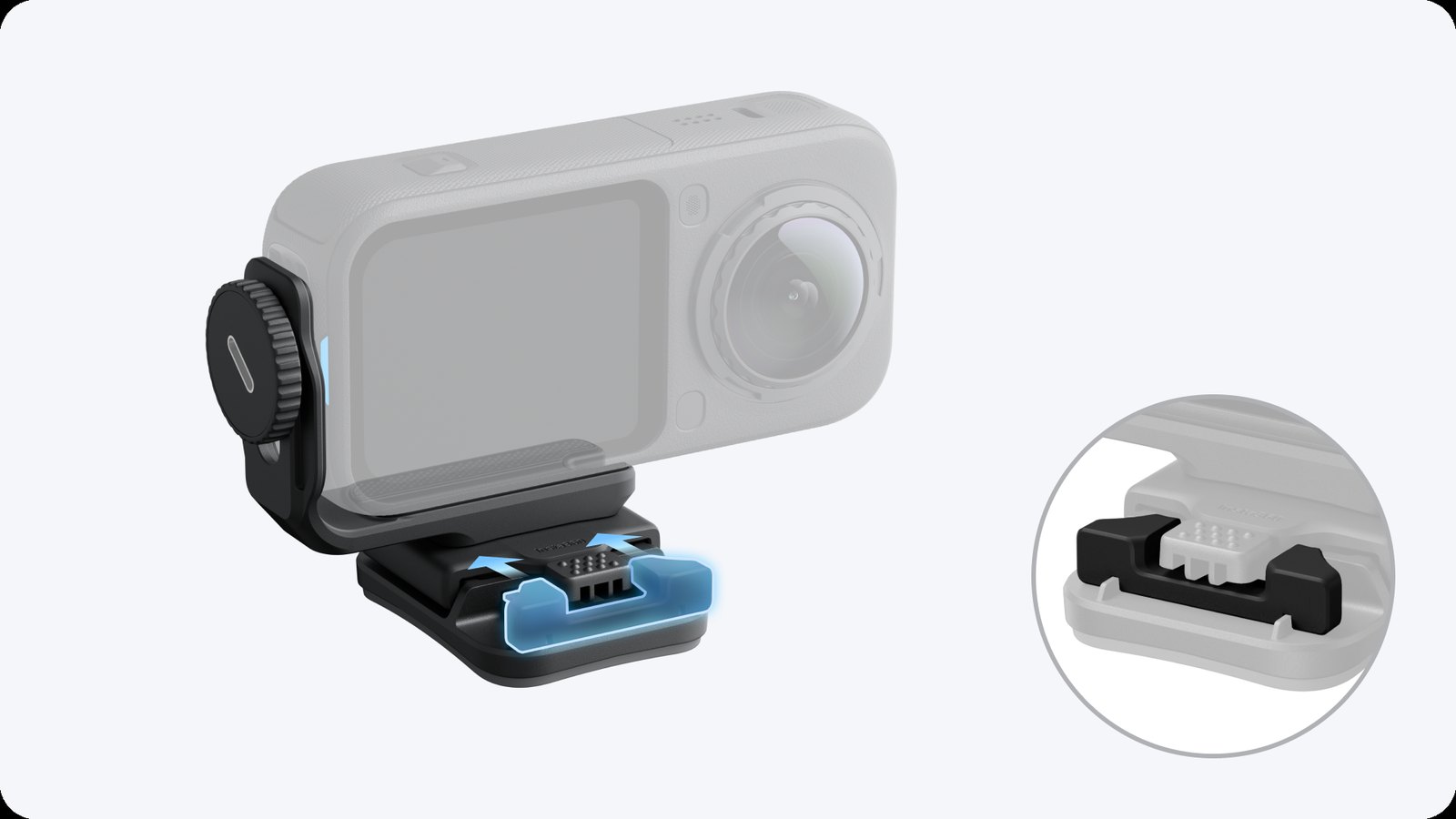
One lock, and it stays put.
A built-in pad sits beneath the quick-release to guard against accidental triggering, so the mount won't pop off if it gets bumped while you're on the move.
One kit does it all.
With 4 adhesive bases and 1 mount, you can set up several shooting spots ahead of time. Buy once and start creating from multiple angles right away.
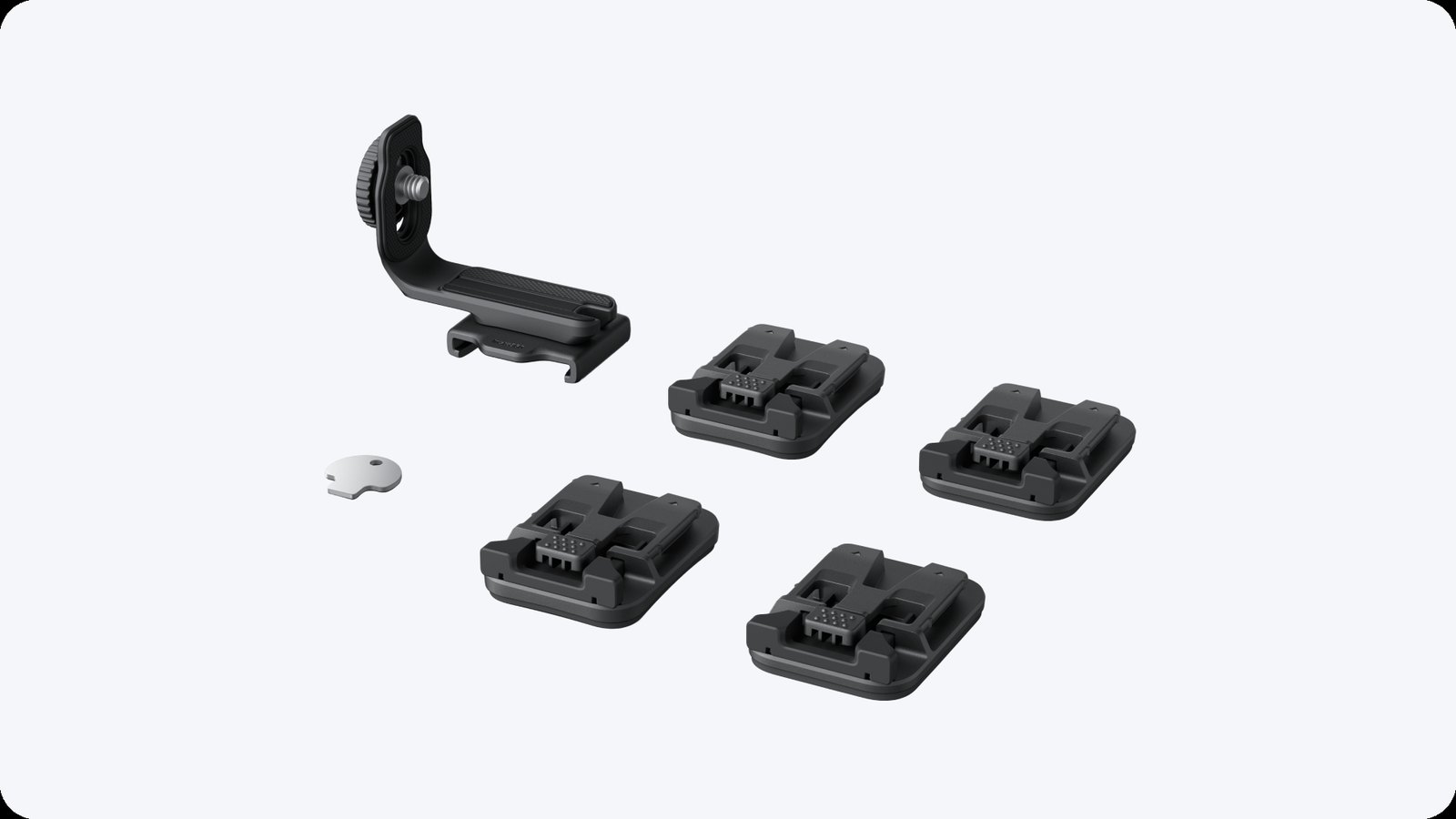
In the box
- 2 × Flat adhesive bases
- 2 × Curved adhesive bases
- 1 × Mount for X Series cameras
- 1 × Wrench
Specifications
| Weight | 83.5 g |
|---|---|
| Dimensions | 65 × 50 × 57 mm |
| Materials | Plastic, metal, silicone |
| Compatibility | X6, X4 Air, X5, X4, X3, ONE RS (Twin / 4K), ONE X2, ONE R |
Fitting the adhesive base
- Clean the surface with a wipe and make sure it is completely clean and dry.
- Peel the backing off the base, then press it firmly and evenly onto the flat or curved surface for at least 30 seconds.
- Leave it to cure for 12 hours at around 15°C before you use it.
- Push the mount into the slot on the base until it clicks, slide the silicone lock inward, then pull the mount gently to confirm it is locked.
To remove, pull the silicone lock out, hold the release button and slide the camera and mount off together.


 Mavic 4 Pro
 RS 5
 RS 2
 RSC 2
 Osmo Pocket 4P
 Luna Ultra
 X4 Air
 X4
 ONE X2
 ONE X
 GO 2
 Power 1000 Mini
 Power 2000
 Power 1000


