



DJI Mic Mini 2 (2 TX + 1 Mobile RX + Charging Case)

$119

  • Lightweight & Versatile, Compact Storage [1]
  • High‑Quality Audio, Mixed Device Transmission [2]
  • Three Voice Tone Presets [3], Two-Level Noise Cancelling [4]
  • Automatic Limiting to Prevent Audio Clipping [5]
  • DJI OsmoAudio Direct Connection [6]
  • 48-Hour [7] Operating Time & Power Saving

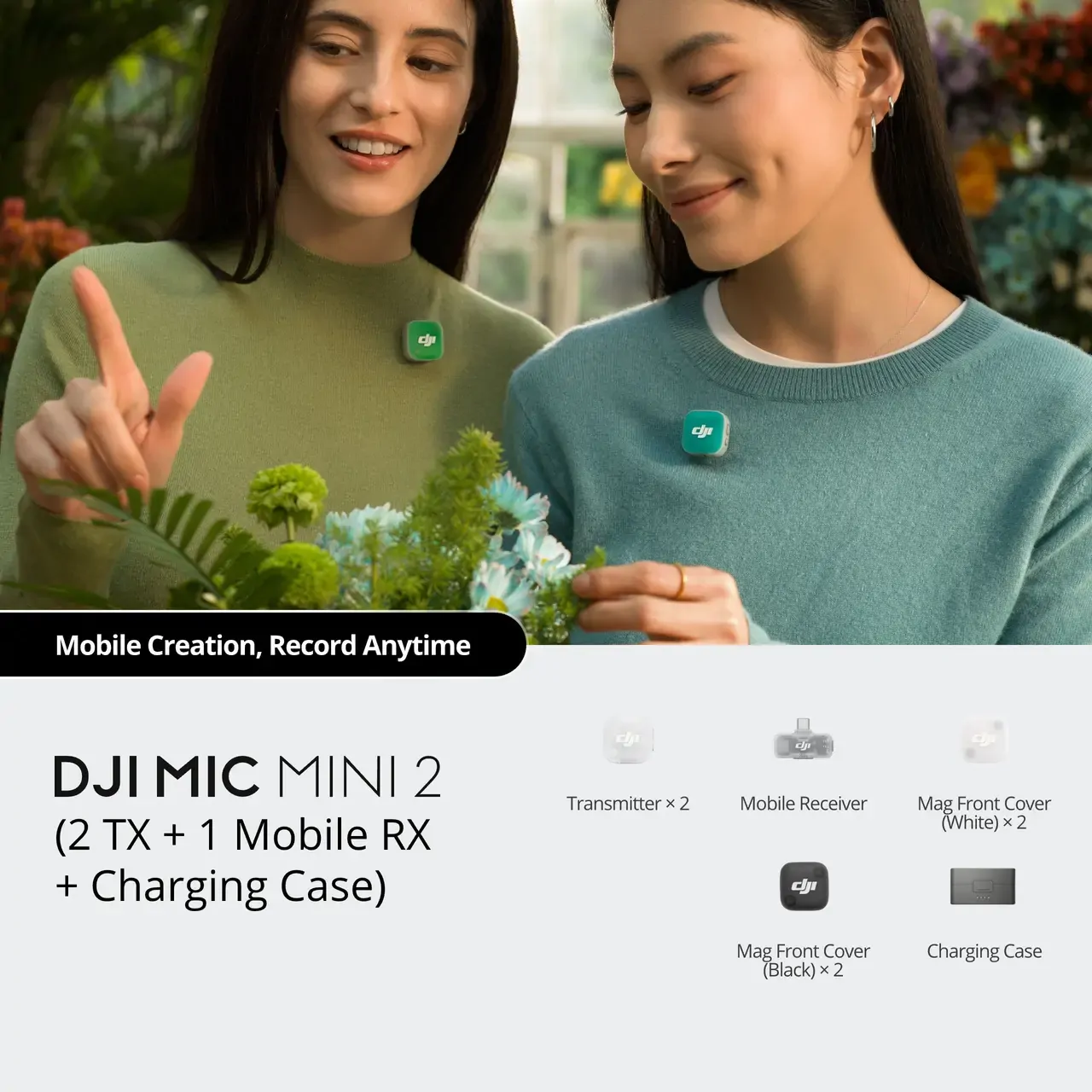
Includes two transmitters, a mobile receiver and a charging case that provides up to 48 hours of operating time, plug-and-play and suitable for efficient multi-person creation on mobiles.

Take a Closer Look

In the Box

Let’s Answer Your Questions

  • What can I use DJI Mic Mini 2 with?

    You can use DJI Mic Mini 2 with a range of devices, including cameras, smartphones (via USB-C/Lightning adapter or via direct Bluetooth connection) and computers.

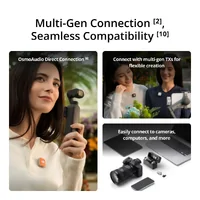
    DJI Mic Mini 2 supports the DJI OsmoAudio connection ecosystem. The transmitter supports direct Bluetooth connection to Osmo Pocket 3, Osmo 360, Osmo Nano, or Osmo Action 6 without a receiver, delivering premium audio and simplifying your gear and workflow.


    For details, please visit the Downloads page of the DJI Mic Mini 2 website for the Mobile Phone & Tablet Compatibility List and OsmoAudio Compatibility List.

    Osmo Pocket 3, Osmo 360, Osmo Nano, and Osmo Action 6 are sold separately.

  • What are the differences between DJI Mic Mini 2 combos? How should I choose?

    DJI Mic Mini 2 (2 TX + 1 RX + Charging Case) includes a charging case, one receiver, and two transmitters, suitable for two-person audio recording, and providing extended battery life.

    DJI Mic Mini 2 (1 TX + 1 RX) includes one receiver and one transmitter, suitable for single-person audio recording of individual creators.

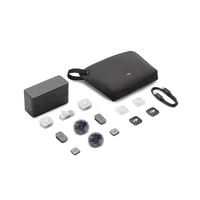
    DJI Mic Mini 2 (2 TX + 1 Mobile RX + Charging Case) includes a charging case, one mobile receiver, and two transmitters. It provides extended battery life and is suitable for two-person audio recording with smartphones.

    DJI Mic Mini 2 (1 TX + 1 Mobile RX + Charging Case) includes a charging case, one mobile receiver, and one transmitter. It provides extended battery life and is suitable for solo creators and other single-person audio recording scenarios with smartphones.

    The DJI Mic Mini 2 Transmitter can be used with mobile phones, Osmo Pocket 3, Osmo 360, Osmo Nano, Osmo Action 6, and other ecosystem devices.

    The DJI Mic Series Mobile Receiver can be used with smartphones (USB-C/Lightning port), computers (USB-C port), Osmo Action 4 (USB-C port), Action 5 Pro (USB-C port), Osmo Pocket 3 (USB-C port), Osmo 360 (USB-C port), and more.

  • Are the DJI Mic Mini 2's transmitters and receiver compatible with those of DJI Mic, DJI Mic 2, DJI Mic 3, and DJI Mic Mini?

    They are compatible with the DJI Mic Mini transmitters and receiver, not compatible with other devices.

  • What is the maximum transmission distance between DJI Mic Mini 2's transmitters and receiver?

    When used with a DJI Mic Mini Receiver and two DJI Mic Mini 2 transmitters, the transmission distance can reach up to 400 meters in an open, interference-free and unobstructed environment.

    When used with a DJI Mic Series Mobile Receiver and connected to two DJI Mic Mini 2 or two DJI Mic Mini transmitters in green light mode, the maximum transmission distance can reach up to 300 meters in an open, interference-free and unobstructed environment.

    When used with a DJI Mic Series Mobile Receiver and mixed with any two transmitters of DJI Mic Mini 2, DJI Mic 3, DJI Mic Mini, and DJI Mic 2 in blue light mode, the transmission distance can reach up to 200 meters in an open, interference-free and unobstructed environment.

  • How long does it take to fully charge the transmitters and receiver using the DJI Mic Mini 2 Charging Case? How long does it take to fully charge the charging case separately?

    It is recommended to use a 5V/2A (max) charger to charge the DJI Mic Mini 2's transmitters, receiver, and charging case.

    At room temperature, it takes approximately 100 minutes* and 70 minutes* to fully charge the receiver and transmitters, respectively, using the charging case. It takes approximately 2 hours* to fully charge the DJI Mic Mini 2 Charging Case separately, and about 1 hour* to fully charge the DJI Mic Mini 2 Charging Case (1 TX + 1 Mobile RX).


    * Measured in a controlled test environment and is for reference only.

  • What are the updates of DJI Mic Mini 2 compared to DJI Mic Mini?

    For more details, refer to the comparison page of the DJI Mic series on the official website.

  • What devices can the DJI Mic Mini 2 Transmitter connect to wirelessly? How many transmitters can these devices connect to simultaneously?

    DJI Mic Mini 2 supports the DJI OsmoAudio connection ecosystem. The DJI Mic Mini 2 Transmitter can directly connect to select DJI products, namely one transmitter for Osmo Action 4, and up to two transmitters for Osmo Pocket 3, Osmo 360, Osmo Nano and Osmo Action 6.

    The DJI Mic Mini 2 Transmitter can directly connect to your smartphone via Bluetooth. When the transmitter directly connects to a smartphone, the noise cancellation level cannot be adjusted in the DJI Mimo app, and it defaults to the Strong level; Low Cut settings are also not supported in the DJI Mimo app.

  • How do I replace the magnetic front cover on the DJI Mic Mini 2 Transmitter?

    The DJI Mic Mini 2 Transmitter features a magnetic, interchangeable front cover and comes standard with Obsidian Black and Glaze White front covers. Additional multi-color windscreens and multi-color magnetic front covers are also available. To replace the front cover, simply pry it off from the groove at the bottom of the transmitter and swap it out.

    The DJI Mic Mini 2 Multi-Color Windscreen and the DJI Mic Mini 2 Multi-Color Magnetic Front Cover are sold separately.

  • What is the wireless transmission range of the mobile receiver? Is there any difference compared to the DJI Mic Mini Receiver?

    When the DJI Mic Series Mobile Receiver is connected to two DJI Mic Mini or DJI Mic Mini 2 transmitters, the maximum wireless transmission range is 300 meters.

    When the DJI Mic Mini Receiver is connected to two DJI Mic Mini or Mic Mini 2 transmitters, the maximum wireless transmission distance is 400 meters.

    When the DJI Mic Series Mobile Receiver is connected to one DJI Mic Mini/Mic Mini 2 transmitter and one DJI Mic 2/Mic 3 transmitter simultaneously, the maximum wireless transmission distance is 200 meters.

    For transmitter compatibility, please visit the Downloads page of the DJI Mic Mini 2 website for the DJI Mic Series Mobile Receiver Cross-Model Compatibility List.

     All product images and videos on this page are for reference only. Actual products may vary. Please refer to the actual product.

    1. When storing accessories in the charging case, avoid stacking to prevent receiver damage. For storage details, refer to the official product page of DJI Mic Mini 2.

    2. The DJI Mic Mini Receiver and the DJI Mic Series Mobile Receiver support mixed connection with up to two transmitters at a time. For details, please visit the Downloads page of the DJI Mic Mini 2 website for the DJI Mic Series Mobile Receiver Cross-Model Compatibility List.

    3. The Voice Tone Preset modes can be selected via the DJI Mimo app, with the default set to Regular. This function is not supported when the transmitter is directly connected to a phone via Bluetooth.

    4. Strong and Basic noise cancellation levels can be set via the DJI Mimo app, or directly on the product interface when using a compatible DJI product connected to one or more transmitters via DJI OsmoAudio Direct Connection. When the transmitter directly connects to the phone, the noise cancellation level cannot be adjusted in the DJI Mimo app; it defaults to the Strong level. The noise cancellation switch on the DJI Mic Series Mobile Receiver allows quick adjustment of noise cancellation levels (Off = O, Low = L, High = H).

    5. When the DJI Mic Mini 2 Transmitter is connected to the DJI Mic Mini Receiver/DJI Mic Series Mobile Receiver, this feature is enabled by default and can be turned on/off via the DJI Mimo app. When the transmitter is directly connected to a phone via Bluetooth, this feature is enabled by default and cannot be turned off. When a compatible DJI product is connected directly via OsmoAudio, settings can be adjusted on the product interface.

    6. The DJI Mic Mini 2 Transmitters can directly connect to select DJI products. For details, please visit the Downloads page of the DJI Mic Mini 2 website for the OsmoAudio Compatibility List.

    7. Measured using DJI Mic Mini 2 (2 TX + 1 RX + Charging Case) paired with a fully charged charging case, with noise cancellation off, during close-range audio recording under open, interference-free, unobstructed conditions, with both transmitters connected to the receiver and the receiver connected to a camera via the Camera Audio Cable (3.5mm TRS).

    8. The weight of a single transmitter does not include the magnetic clip and magnet.

    9. Sold separately. Obsidian Black and Glaze White magnetic front covers are standard accessories included with DJI Mic Mini 2 (2 TX + 1 RX), so users do not need to purchase them separately.

    10. For a list of compatible devices, please refer to the Downloads page on the DJI Mic Mini 2 official website.

    11. To achieve the 4TX + 8RX setup or four-channel output, additional accessories must be purchased separately. For details, refer to the compatibility list on the Downloads page of the official DJI Mic 3 website.

    12. When used with a DJI Mic Mini Receiver and two DJI Mic Mini 2 Transmitters, the transmission distance can reach up to 400 meters in an open, interference-free and unobstructed environment.

SKU DJIMICMINI2-2T1M
Barcode # 6937224141452
Brand DJI
Shipping Weight 0.6000kg
Shipping Width 0.200m
Shipping Height 0.100m
Shipping Length 0.100m
Shipping Cubic 0.002000000m3

Be The First To Review This Product!

Help other Camzilla users shop smarter by writing reviews for products you have purchased.

Write a product review